Password Reset from BLIS Launcher
Step 1: Click on "More Options" and select "Reset Password" from the BLIS Launcher.
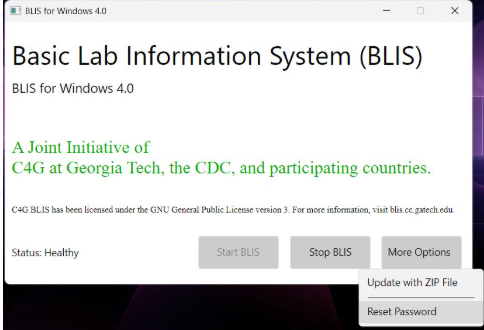
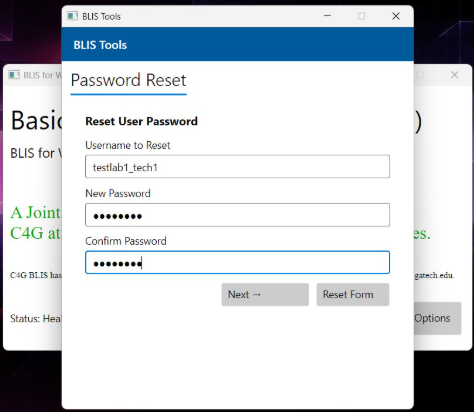
Step 2: Enter the username and the new password you want to set. Click "Next".
Step 3: The reset is a role-based privilege, so please enter a supervisor account’s username and password.
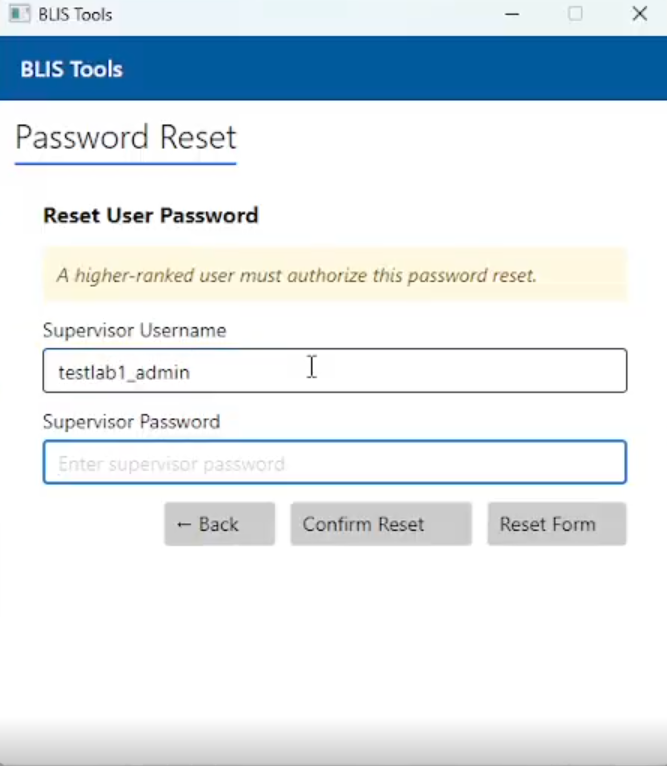
Step 4: Click "Confirm Reset".
A success message will confirm that the password reset is complete.